
Video games today are more detailed and demanding than ever. From realistic graphics to complex physics and large open worlds, modern games push both hardware and software to their limits. But not everyone owns a high-end gaming PC or console. That’s where game optimization becomes important.
Game optimization helps games run smoother, load faster, and perform better—no matter what device you’re using. In this article, we’ll break down what game optimization really means, how it works, and why it matters for every type of gamer.
What Is Game Optimization?
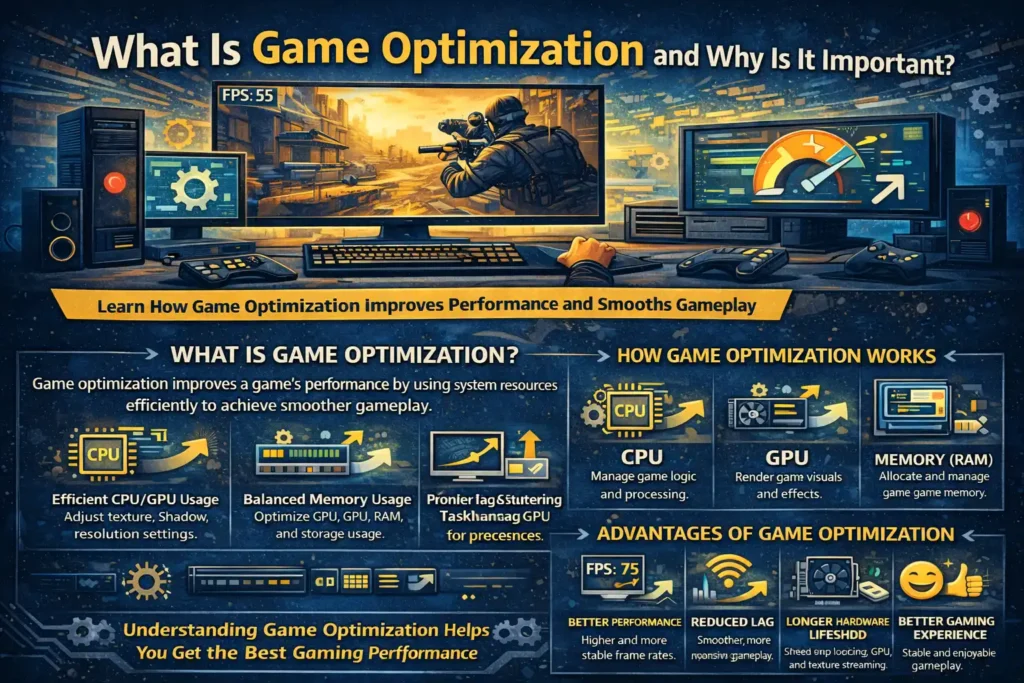
Game optimization is the process of improving a game’s performance so it runs smoothly on different systems without unnecessary lag, crashes, or frame drops.
In simple terms, optimization means:
- Using hardware resources efficiently
- Reducing unnecessary processing
- Balancing visual quality and performance
Game developers optimize games so they can run on a wide range of PCs, from high-end gaming rigs to budget laptops. Players can also optimize settings on their own system to get better performance.
How Game Optimization Works
Game optimization works on multiple levels. It is not just one setting or one fix—it’s a combination of small improvements working together.
1. Optimizing Graphics Settings
Games allow players to adjust settings like texture quality, shadows, lighting, and resolution. Lowering these settings reduces the workload on your GPU and CPU.
For example:
- Lowering shadow quality reduces GPU usage
- Reducing resolution improves frame rate
- Turning off motion blur reduces unnecessary effects
These changes often improve performance without greatly affecting visual quality.
2. Efficient Use of Hardware Resources
A well-optimized game uses system resources wisely. It ensures that:
- The CPU handles logic and calculations efficiently
- The GPU focuses on rendering visuals
- RAM is used properly without causing memory leaks
Poor optimization can cause stuttering, freezing, or sudden FPS drops even on powerful systems.
3. Background Process Management
Games don’t run in isolation. Other apps—such as browsers, launchers, or background services—can compete for system resources.
Optimization includes:
- Closing unnecessary background apps
- Reducing startup programs
- Limiting background downloads
This frees up memory and processing power for the game.
Key Components of Game Optimization
Understanding the main elements involved helps you know where performance problems come from.
1. CPU Optimization
The processor handles game logic, physics, and AI. If a CPU is overloaded, games may stutter even if the graphics card is strong.
Common improvements include:
- Adjusting in-game CPU-heavy settings
- Ensuring the CPU isn’t overheating
- Avoiding unnecessary background tasks
2. GPU Optimization
The graphics card renders visuals, textures, and effects. Optimizing GPU usage involves:
- Updating graphics drivers
- Adjusting resolution and visual effects
- Matching game settings to GPU capability
3. Memory (RAM) Management
Not enough RAM can cause stuttering or long loading times. Games may struggle when memory runs out and the system relies on slower storage.
Keeping enough free RAM helps maintain stable performance.
4. Storage Performance
Games installed on slow storage may load slowly or stutter while loading textures. Using an SSD instead of a traditional hard drive can greatly improve load times and stability.
Advantages of Game Optimization
Optimizing games offers several benefits beyond smoother gameplay.
Better Performance
Games run with higher and more stable frame rates, improving responsiveness and control.
Reduced Lag and Stuttering
Optimized systems experience fewer performance drops, especially during intense gameplay moments.
Longer Hardware Lifespan
Efficient performance puts less stress on components, helping them last longer.
Better Gaming Experience
Stable performance makes games more enjoyable and less frustrating, especially in competitive titles.
Disadvantages and Limitations
While optimization helps a lot, it also has limitations.
Reduced Visual Quality
Lowering graphics settings may slightly reduce visual detail.
Hardware Limits Still Apply
No amount of optimization can fully overcome very old or weak hardware.
Time and Testing Required
Finding the best settings often takes trial and error, especially for beginners.
Real-World Examples of Game Optimization
- A player with a mid-range laptop lowers resolution and disables shadows to get smoother gameplay in open-world games.
- Competitive players reduce visual effects to gain higher frame rates and faster response times.
- Older PCs use optimized settings to run modern games at stable frame rates.
These examples show how optimization makes gaming accessible to more people.
Conclusion
Game optimization is one of the most important skills for any PC gamer. It helps you get the best performance from your hardware without spending extra money. By understanding how games use system resources and adjusting settings wisely, you can reduce lag, prevent stuttering, and enjoy smoother gameplay.
Whether you’re a casual player or a competitive gamer, learning the basics of game optimization can greatly improve your overall gaming experience. With the right balance of performance and quality, even modest systems can deliver enjoyable and stable gameplay.